
On June 3, 2026, part of the GS Vision team attended Netpeak Friends Day: Google Shopping Edition — an invite-only event organised by Netpeak Bulgaria at Planet Schwarz Tech Theater in Sofia. The event brought together paid search specialists, Google representatives and business owners for an in-depth look at Google Shopping's upcoming launch in Bulgaria and what it means for local e-commerce.
Since everything we do revolves around PrestaShop, we came away with concrete technical takeaways and a clear plan for getting our clients' stores ready before the market shifts.
What Was on the Agenda
The programme included talks from Netpeak Bulgaria's PPC specialists and from Anna Tsoni, Senior Strategic Agency Manager at Google, who presented "The New Era of Retail: Unlocking Growth with Shopping Ads in Bulgaria". The sessions covered three main areas: the infrastructure and feed mechanics behind Google Shopping, what a well-structured campaign looks like, and the strategic outlook for the Bulgarian market.
The format was in-person with a limited number of attendees, which allowed for genuine discussion and specific questions — something that rarely happens in large-audience webinars.
Why Google Shopping Is Different from Standard Google Ads
Google Shopping is not just another ad format. Ads are displayed with a product image, price and merchant name directly in search results — before a user has clicked on any website. The purchase decision is made at SERP level.
This means competitive advantage does not come from campaign budget alone. It comes from the quality of the product feed, the accuracy of the data and the technical soundness of the store that generates the feed. A store with slow load times, incorrect prices or incomplete product attributes will burn budget at poor positions with low conversion rates.
What a PrestaShop Store Needs Technically for Google Shopping
A Correct and Complete Product Feed
Google Merchant Center requires a feed with precisely defined attributes for every product. Mandatory fields include id, title, description, link, image_link, price, availability and condition. For categories such as apparel, electronics and food, additional required attributes apply — brand, gtin, mpn, size, color and others.
In PrestaShop, the feed can be generated through a module or through a custom implementation that pulls data directly from the database. Several points are critical:
- Prices in the feed must match prices in the store exactly, including VAT for B2C transactions.
- Stock availability must be updated in real time or whenever it changes.
- Product titles should be optimised — not simply copied from the back office, but structured following the pattern
[Brand] + [Product Type] + [Key Attribute].
GTIN, MPN and Brand — the Product's Identity in Shopping
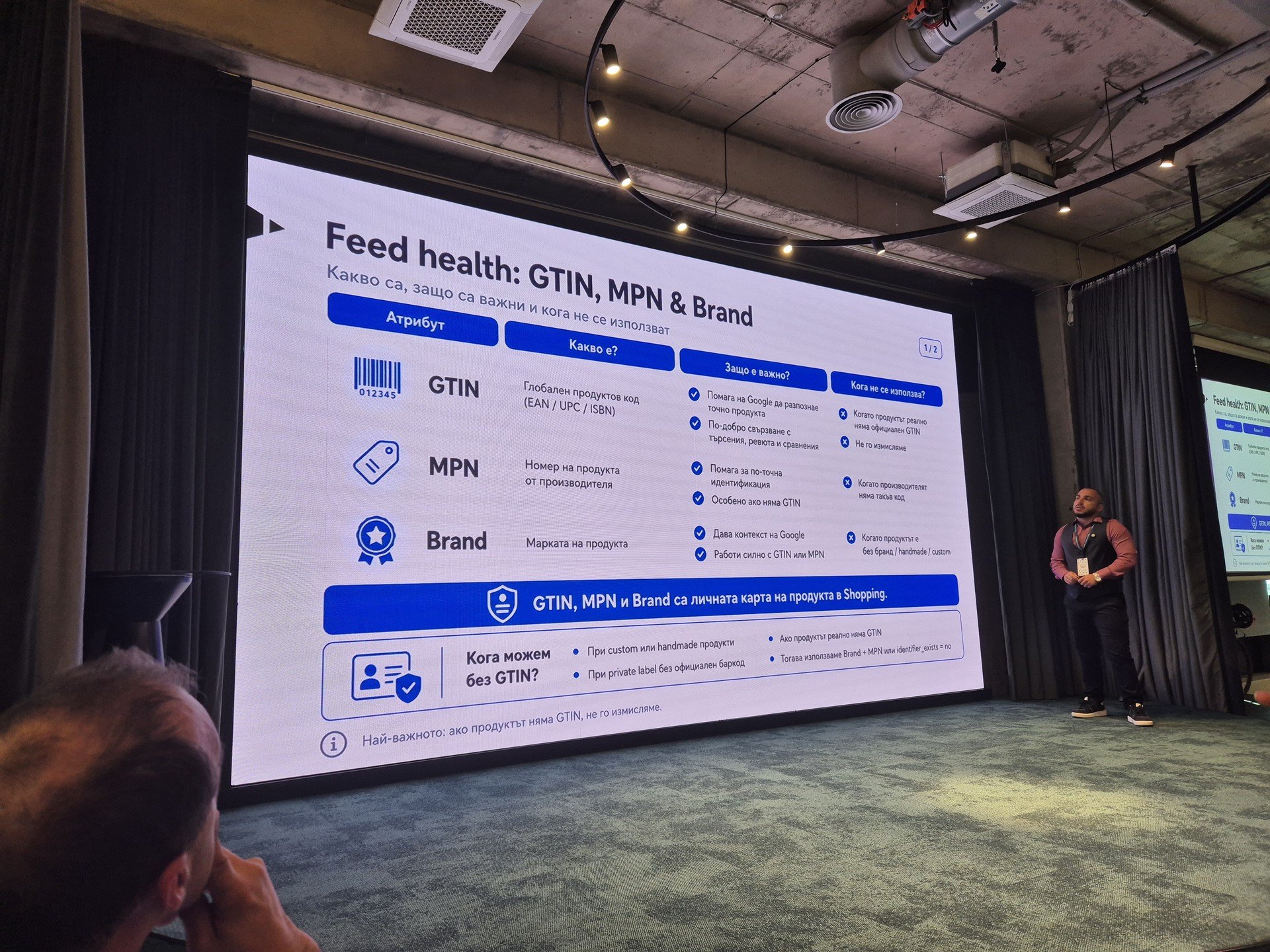
One of the most concrete sessions at the event focused on the three attributes Google uses to identify a product. Here is how they were explained:
GTIN (Global Trade Item Number) is the global product code — EAN, UPC or ISBN. It helps Google recognise the exact product, match it with searches, reviews and comparison results. It should not be used when a product genuinely has no official GTIN — and it should never be invented.
MPN (Manufacturer Part Number) is the product number assigned by the manufacturer. It is particularly useful when there is no GTIN, as it enables more precise identification. It should not be submitted when the manufacturer does not provide such a code.
Brand is the product's brand name. It gives Google context and works best in combination with GTIN or MPN. It should not be added when the product is unbranded, handmade or custom.
A key practical rule shared at the event: when a product genuinely has no GTIN, the correct approach is to submit Brand + MPN or to set identifier_exists: no — not to fill in a fabricated code, which results in product disapprovals in Merchant Center.
Structured Data (schema.org) for Product Pages
Google Shopping relies on structured data to validate feed data against the actual content of product pages. A correctly implemented Product schema with offers, price, availability and aggregateRating reduces the risk of data mismatches and improves quality scores.
In PrestaShop 8.x, structured data is generated automatically for product pages. However, the default implementation may require adjustments on stores using heavily customised themes, a rewritten front-end, or modules that add non-standard pricing logic.
Speed and Core Web Vitals
Performance Max — the default format through which Google Shopping operates — takes landing page quality into account when distributing impressions. A store with an LCP above 2.5 seconds and high CLS will receive less traffic for the same budget compared to a technically faster competitor.
If you have not run a performance audit on your PrestaShop store recently, now is the right time.
Category Structure and Google Product Category Mapping
Every product in a Shopping feed must be mapped to Google's Product Category (GPC) taxonomy. The more precise the mapping, the better Google understands the product and the more accurately it surfaces it for relevant searches. An incorrect or overly broad GPC directly affects impression relevance.
Where Google Shopping Is Heading: Personalisation and New Formats
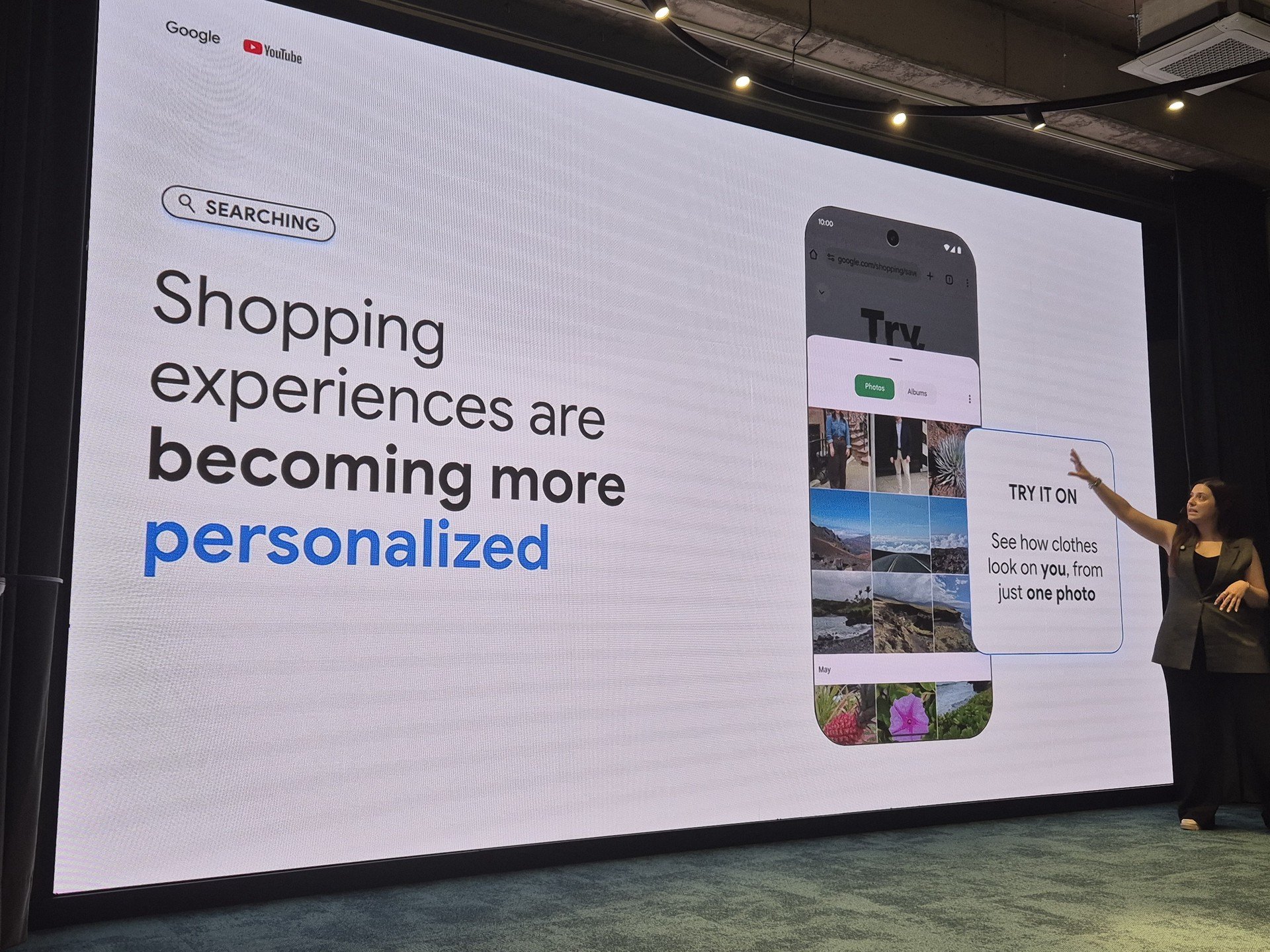
Anna Tsoni from Google presented the direction in which the platform is evolving beyond classic Shopping ads. The focus was on the personalisation of the shopping experience — Google is actively testing a "Try it on" feature that allows a user to see how a clothing item would look on them, using just a single photo of themselves.
This is not a distant vision — the feature is in active development and is aimed directly at the fashion and apparel segment. For stores selling clothing, accessories and similar categories, this means that the quality of product images and the completeness of attributes (colour, size, material) are becoming even more critical. Google will use this data to personalise product display at the level of the individual user.
The takeaway from this presentation is clear: investing in a quality feed and accurate product data is not a one-off technical task — it is the foundation on which Google is building more intelligent product discovery.
What We Are Preparing for Our Clients
Based on the materials presented at the event and information shared by Google, we are putting the following process in place for the stores we work with.
The first step is a technical audit — a review of the current state of the feed, structured data, page speed and compliance with Google Merchant Center requirements. The second step is implementing the necessary corrections and optimisations before campaigns go live. The third step is setting up and structuring the Performance Max campaign with proper product segmentation and corresponding asset groups.
The goal is for every store to be technically ready before autumn 2026, when Google Shopping is expected to officially launch for the Bulgarian market.
Why PrestaShop Is a Strong Foundation for Google Shopping
PrestaShop comes with native functionality that makes Google Merchant Center integration straightforward — product-level attribute management, native multistore support for generating separate feeds per market, and flexible pricing and category management. Unlike platforms such as Shopify, PrestaShop imposes no platform-level restrictions on how the feed is generated. You have full ownership of the data.
WooCommerce presents a different picture. Technically it is possible, but feed quality depends heavily on which plugin is used and how the WordPress installation is configured — which introduces unpredictability, especially with larger product catalogues.
Get in Touch
If you run a PrestaShop store and want to find out whether it is technically ready for Google Shopping, we can review it and give you a concrete assessment. The time to prepare is now — not after your competitors have already launched.
Sources
- Google Merchant Center — Product data specification: https://support.google.com/merchants/answer/7052112
- Google Merchant Center — Use GTINs: https://support.google.com/merchants/answer/6324461
- Google — Shopping ads policies: https://support.google.com/merchants/answer/6149970
- PrestaShop Developer Documentation — Modules: https://devdocs.prestashop-project.org/
- web.dev — Core Web Vitals: https://web.dev/vitals/
- schema.org — Product: https://schema.org/Product
- Netpeak Friends Day: Google Shopping Edition — programme: https://netpeak.bg/netpeak-friends-day/